In the week of Nov. 10, GoGuardian—an application that allows teachers and administrators to monitor students’ screens—started installing on all district-appointed devices, though the application lies dormant on some devices. Once active, every time the laptop is then powered on, the application begins running in the background, which students are unable to exit out of. Here is what you should know and expect from the newly implemented application.
It has been a topic of discussion in every classroom, but what are its actual functions? Well, according to the official GoGuardian website, it allows teachers to monitor students’ screens in real-time and alerts the administrators of detected trigger words. It also blocks certain non-educational content, including inappropriate content, social media, entertainment platforms and VPN proxy sites.
“GoGuardian is [meant] to enhance the safety and security of the digital environment,” Assistant Principal Kevin Byrd said. “It’s going to make [the laptop] a device just for school.”
But it is not just like every other firewall. It also has one distinct feature that has been controversial among the student body: it allows teachers to access a constant feed of all of their students’ screens. But what exactly does that mean? Well, with GoGuardian installed, all of the student’s activity on the laptop is monitored, from their browsing history to the webcam and microphone.
“Some people don’t like it because…you can’t play Mario Kart anymore,” Byrd said. “You can’t play those games that the computer has. And it’s going to [make it so] there’s no way you can get to like restricted things.”
With GoGuardian installed, teachers will be able to capture all the websites that are accessed by the student in their roster, but only while the class is in session. Students have no way of closing it out and do not have to confirm they know they are being monitored—the only indication is the GoGuardian icon at the bottom and top left of the screen.
“Teachers can: view screens, see every application the student has open, lock all slash some computers, disable the internet or restrict slash allow specific sites, view a rolling 10-minute timeline of the student’s activity, and much more,” the district said in an email to the administrators.
Even though it is intended in good faith, GoGuardian does have its own fair share of problems. Some problems include content blocking that prevents students from accessing websites like Remind or Band app—which are used by many coaches and teachers to communicate with their students.
“Right now, if we found a website that kids are getting on that they shouldn’t, then we can tell [the district] and they can block it,” Byrd said. “It works on the flip side too.”
Many of these websites are a work in progress when it comes to what should be blocked. Students are encouraged to voice their concerns regarding apps they believe are wrongly blocked.
“Band App, I get that,” Byrd said. “I understand the importance of that. We [will] tell them, and then they can hopefully be able to unblock it.”
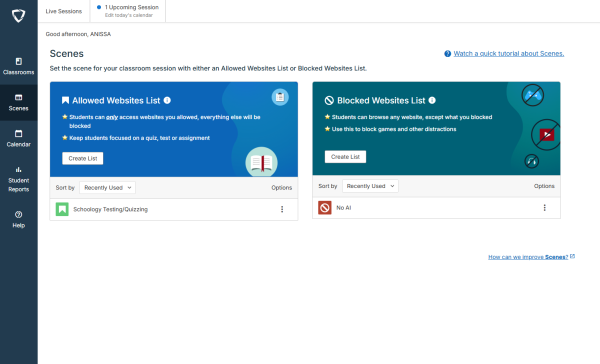
GoGuardian also filters and reports anything non-educational or harmful, focusing on keywords related to self-harm, suicide, violence, guns and bombs; however, filters may be inconsistent, with false alerts that may lead to false accusations. Not much is known about these issues at this time.
“I think it’s not bad, but I also don’t like it,” junior Aastha Shukla said. “It helps people stay on task, but I also think it’s a little too much.”
One of the biggest issues that many students are concerned about is the protection of personal and sensitive information. While GoGuardian should not be able to access any personal information, it would be in the student’s best interest to refrain from saving sensitive information on the laptop. At the end of the day, GoGuardian or not, it is still a public device, and the student should treat it as such.
“[My laptop] is a public device,” Byrd said. “I don’t do anything personal on this device, [and] you can’t find anything about me on here other than my professional stuff.”
Many students don’t feel comfortable having their actions watched. Some believe that AI websites should be blocked but also that it could have been done with a regular firewall, which has been used up until now.
“GoGuardian is an invasion of our privacy, [with] teachers, administrators and parents being able to not only actively view our screens in present time but to also remotely control it,” sophomore Grace Black said. “They can both view our current tabs and windows with the ability of controlling and closing them, which makes students feel on edge.”
Unfortunately, students don’t have much of a say when it comes to the matter. Students can only adapt to the new system, which seems permanent. There is a petition that has been started requesting that GoGuardian be removed from the district laptops, but it is unknown if this will make a difference or not.
“I can see what’s on your screen just because, you know, we want to make sure people are engaged,” Byrd said. “On one side, it’s good because it means the teacher doesn’t have to pursue all 30 [students]. They can have [GoGuardian] right there on their computer. So, that’s a good thing just to keep people engaged because, believe it or not, people get off tasks sometimes.”